Because I have taught classes where we have either focused on the earlier phases of AI, recurrent neural networks and transformers, where I have in fact allowed students (in later classes) to use AI to draft code, I am often asked about AI in education more generally. The honest answer is: I have no idea. My small corner of higher education deals mostly with both qualitative and quantitative analyses of certains types of vernacular discourse—e.g., legends, conspiracy theories, memes. And the classes I teach are either oriented toward those forms, or toward forms, like narrative games, that might enjoy something with my expertise and interest to make an interesting contribution to someone’s education.
What I hear from faculty, however, is mostly anxiety (but also sometimes exuberance) over an escalation in technology usage and dependence that reminds me of the subplot in Real Genius involving the math class. When the protagonist first enters the classroom, it is the traditional scene we imagine: professor upfront and students in desks. The next time we glimpse the classroom, a few students have been replaced with recording devices. The next time the professor walks into the room, it’s a sea of recording devices. In the final tableau, our protagonist walks into the room with nothing but recording devices on student desks and a player — in this case a reel-to-reel tape deck! — delivering the lecture.
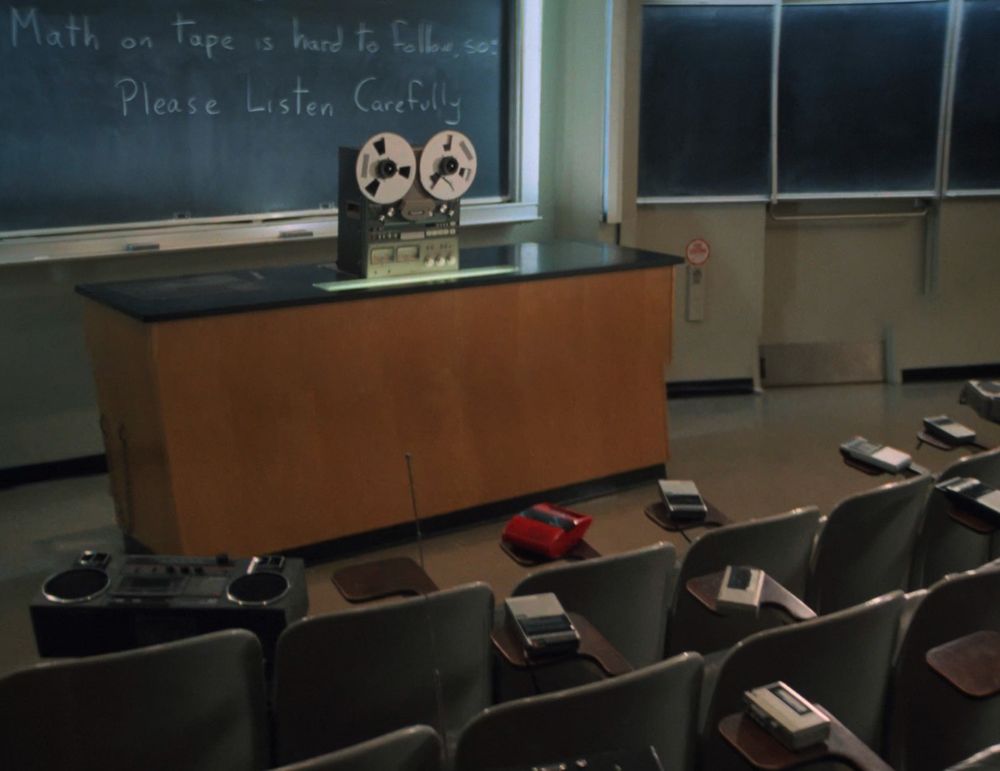
The protagonist stands, befuddled, in an aisle, and the audience enjoys a chuckle from the irony of the escalation of technology such that both professors and students have been replaced by devices.
Now, with AI, the fear isn’t that students won’t come to class but that they will submit work not generated by themselves but by one of the LLMs. This in turn has led to some of the plagiarism detection services adding the ability to detect AI-generated text as part of what they can do, or professors hand-checking or believeing that they can simply “just tell” when a written assignment has been generated by AI.
There are ways around this, of course. In my text analytics course I allowed students to use AI to generate code, warning them they would need to revise it for the particular nature of the assignments, but that they should generate the documentation themselves: the course used Jupyter notebooks and I required both # comments in the code blocks but also plain language descriptions and explanations in the text blocks. The way I reinforced the importance of understanding the concepts and methods behind the code was by requiring the final assignment to be hand-written in class with no devices available. Students who had taken the documentation dimension of the assignments seriously and done the work did well. Those who had relied on AI for too much did not do so well.
In other classes, I tend to encourage, or require where appropriate, that students bring in printouts of the essays we will discuss in class. I also encourage taking notes by hand. In the case of the latter, there has been more than enough work done to establish how much better note-taking by hand is in terms of processing material and making it your own.
I’m also lucky to teach classes, like the one on narrative games, where students want to do the work for themselves. It’s their chance to be creative and to make something. To encourage this, I tend to start with a tabletop role playing game (TTRPG) which they can develop entirely by hand.